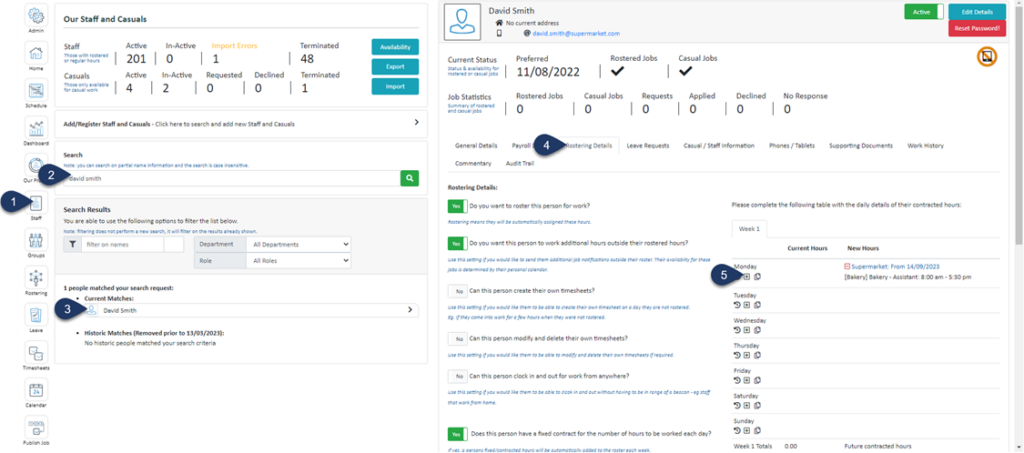
Click on the + Button - Make sure the contracted hours have already been added to this day first. You can only add Payroll Activities after the contracted hours have been added.
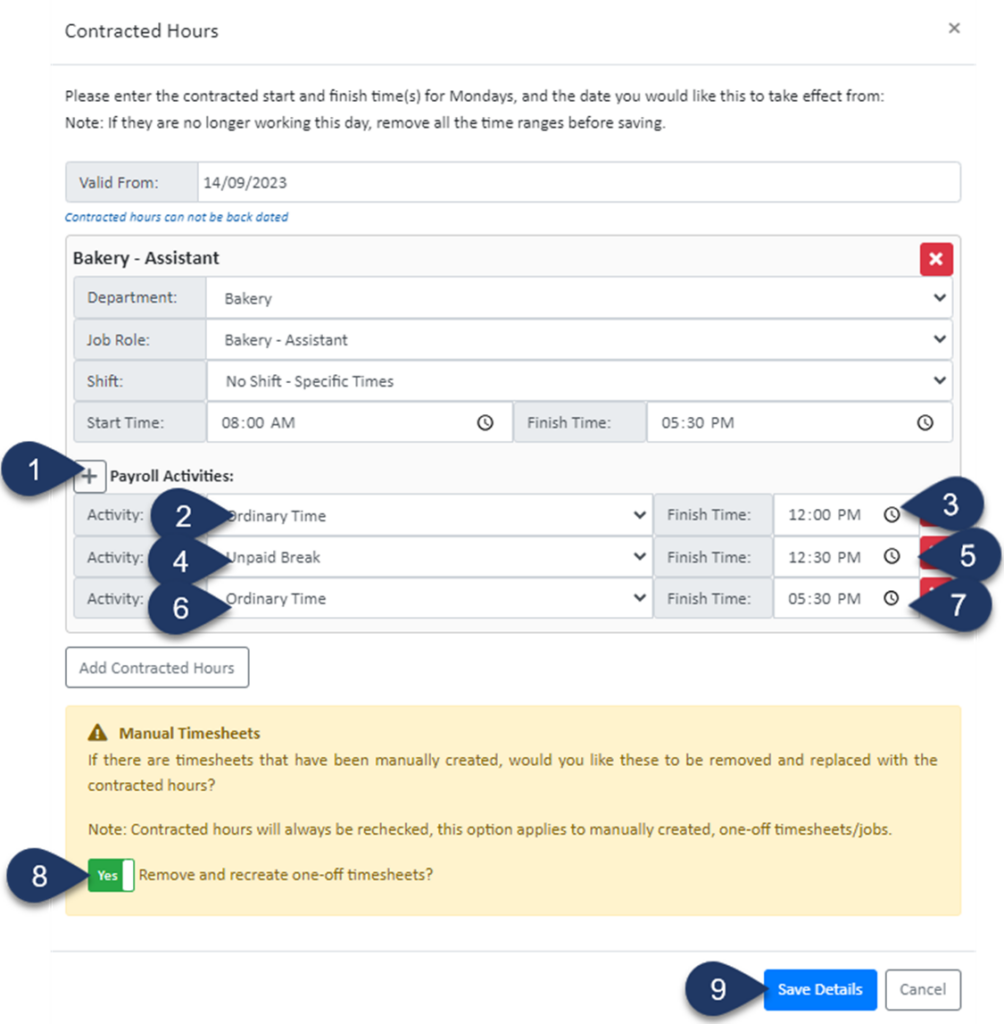
Click the + button in front of Payroll Activities Three Times - (In this example the button was clicked 3 times to add three activities) Please note this button wont appear if the contracted hours weren't already set and saved
Set the Activity to Ordinary Time
Enter the End time of this Activity i.e. Start of Unpaid Break
Set the next Activity to Unpaid Break
Enter the End time of this Activity i.e. End of Unpaid Break
Set the next Activity to Ordinary Time
Enter the End time of this Activity i.e. Finish time of the shift
Switch the toggle to 'YES' to remove any previously created timesheets for this staff member and update any generated rosters
Select Save Details
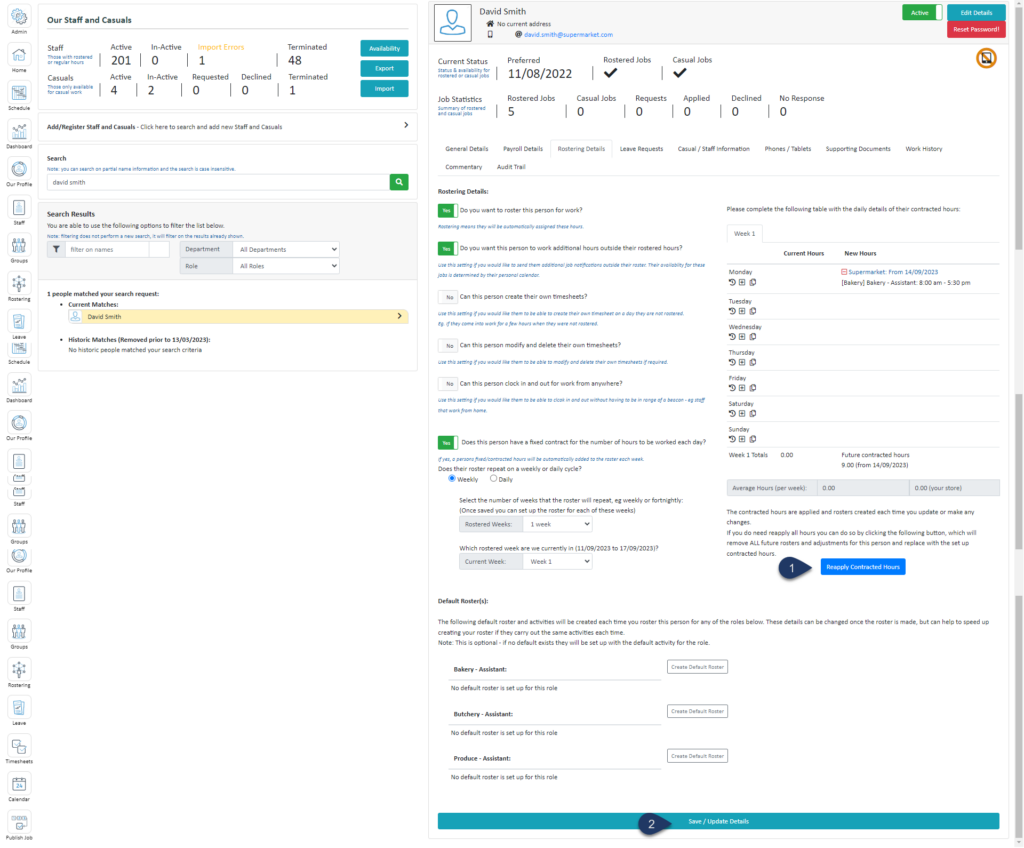
Click Reapply Contracted Hours
Select Save/Update Details
Readyto Simplify Workforce Management for Your Australian Team?
Join thousands of organisations that have replaced manual rosters, spreadsheets andpayroll headaches with Simplifi. Scheduling, rostering, timesheets, leave andpayroll compliance - all in one place.