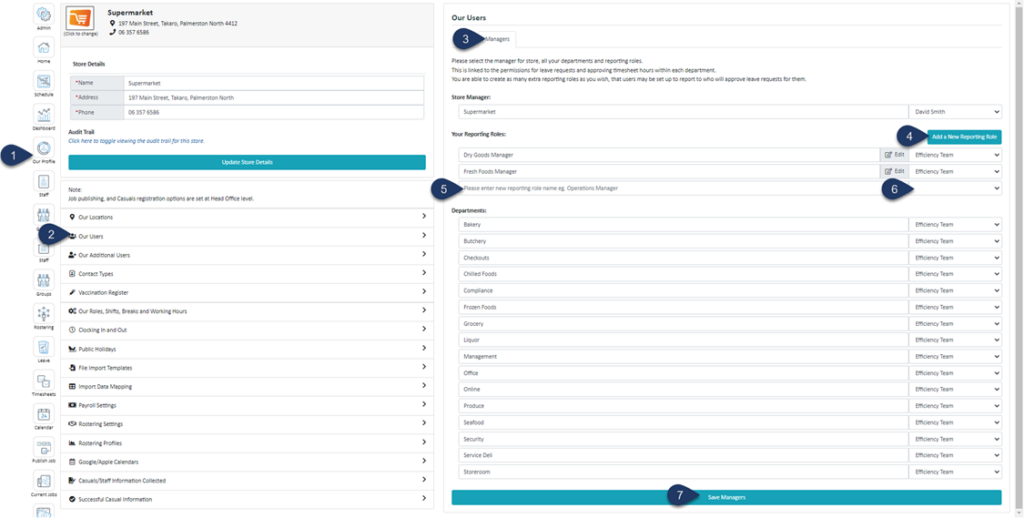
From your list of users, choose the user that occupies this role
Select Save Manager
You can now find this role listed in your employee's profile for you to select
Select Staff
Search for the employee's name
Select the Employee
Select General Details
You can now choose your custom role from the list. This means that this employee's timesheets and leave requests will be accessible only to the person you have selected for this custom role. Any users with payroll access can also access this employee's timesheet and leave. No one else will be able to see this employee's timesheet or leave.
Select Save/Update Details
Ready to Simplify Workforce Management for Your Australian Team?
Join thousands of organisations that have replaced manual rosters, spreadsheets and payroll headaches with Simplifi. Scheduling, rostering, timesheets, leave and payroll compliance - all in one place.