
Release Notes - May 2026
Tuesday, 2 June 2026 1015pm Simplifi
Wednesday, 3 June 2026, 1015pm OnTask
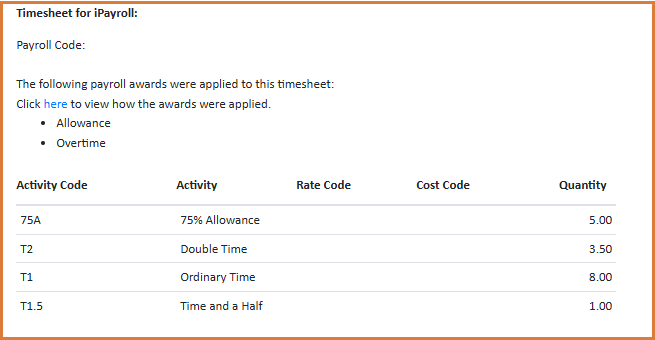
Activity Description now shows in Timesheets - Payroll Summary
The payroll summary section of timesheets now shows Activity Descriptions alongside Activity Codes, making it easier for payroll teams to interpret entries at a glance during review and approval.
Ability to Remove Duplicate Accounts
A new function can be enabled that will allow clients to remove duplicate staff accounts directly, rather than requesting deletion from Simplifi. The feature is designed for large organisations and is enabled only at the Head Office level.
Existing deletion safeguards still apply: a staff member cannot be deleted if they have preferred organisations, contracted hours, timesheets, or job notifications associated with them. They must also be private to the Head Office structure and have only ever had relationships with organisations within it. The feature is intended as a clean-up tool for records created or imported in error.
Cancelled Jobs Report
A new report provides details of all cancelled jobs across a selected date range.
Kiosk - Only Show Current or Next Upcoming Timesheet
The kiosk has been simplified to display only the current or next upcoming timesheet.
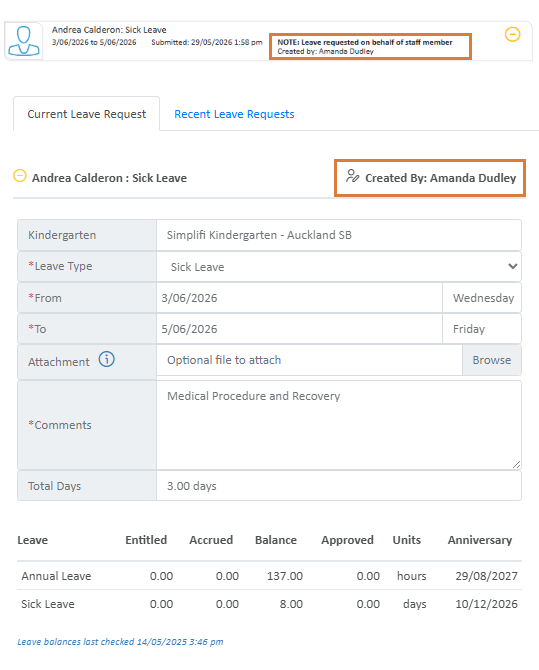
Leave Submitted on Behalf - Now Shows Submitter
Leave requests submitted on behalf of a staff member now display the name of the person who submitted the request.
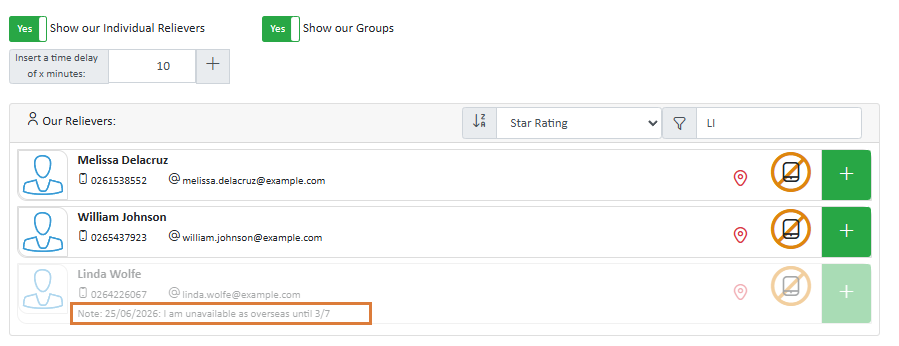
Notes Visible When Publishing Jobs
Casual Staff availability notes are now visible to users publishing jobs, providing more context when matching staff to job requirements.
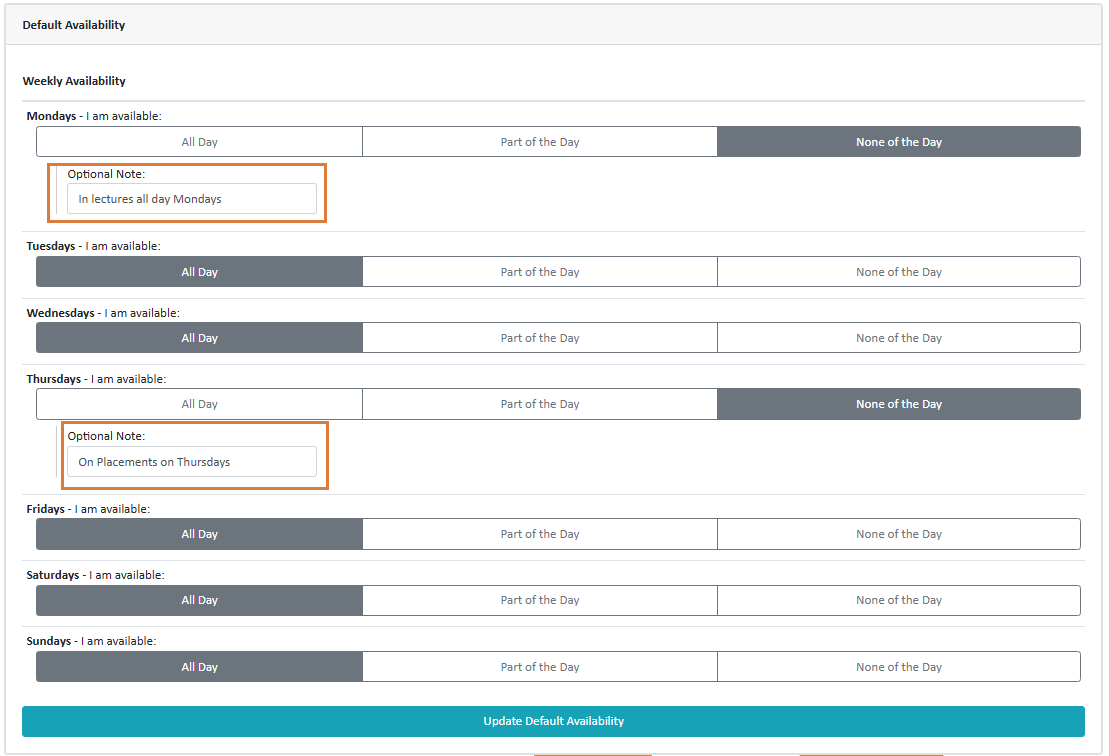
Notes on Default Availability
Casual Staff can now add notes against default availability days, and these notes will display during availability checks.
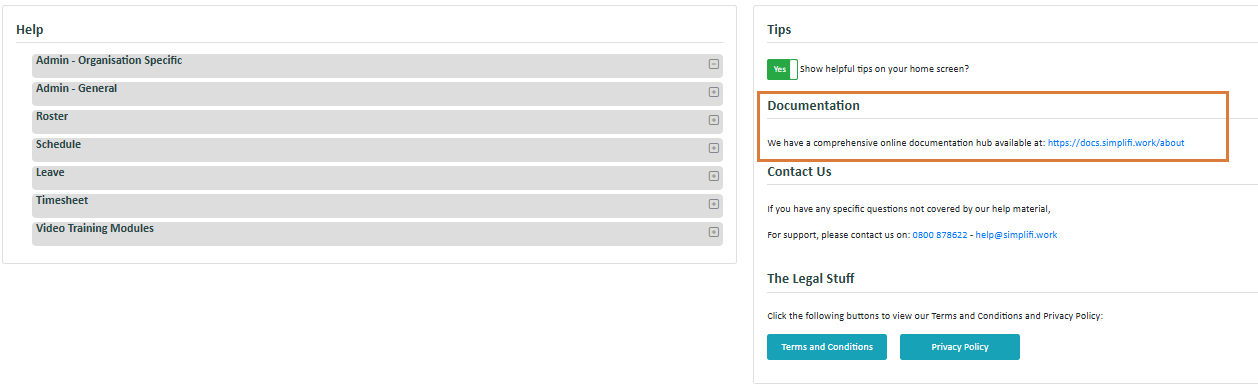
Online Documentation Hub
We have a new comprehensive online documentation hub, now available to all organisation users and staff under the Help & FAQs sections.
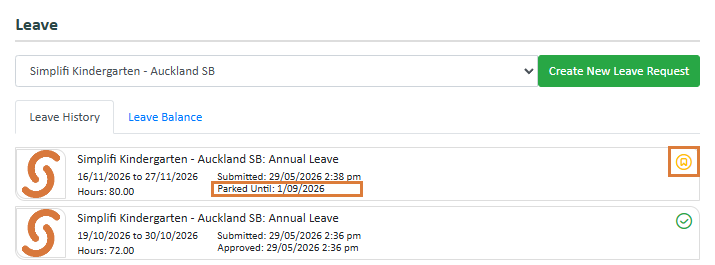
Parked Leave Indicators for Staff
Staff now see clear indicators when their leave is in a 'Parked' state, giving them better visibility into the status of their leave requests.
Payroll/Employee Code on All Reports
The Payroll/Employee Code is now included as a column across all reports.
Public Holiday Settings - Edit Permissions Aligned with Leave Requests
Public holiday settings now follow the same authorisation rules as leave requests, ensuring users can only edit settings for staff they're authorised to manage. View access remains unchanged — anyone with access to the room or department can see public holiday settings for staff within it. Edit access, however, is now restricted to users where the staff member's Leave Report is set to their room, or where the Leave Report resolves to them directly. The change applies in both the Public Holiday tab of the Leave Module and the Timesheet Module.
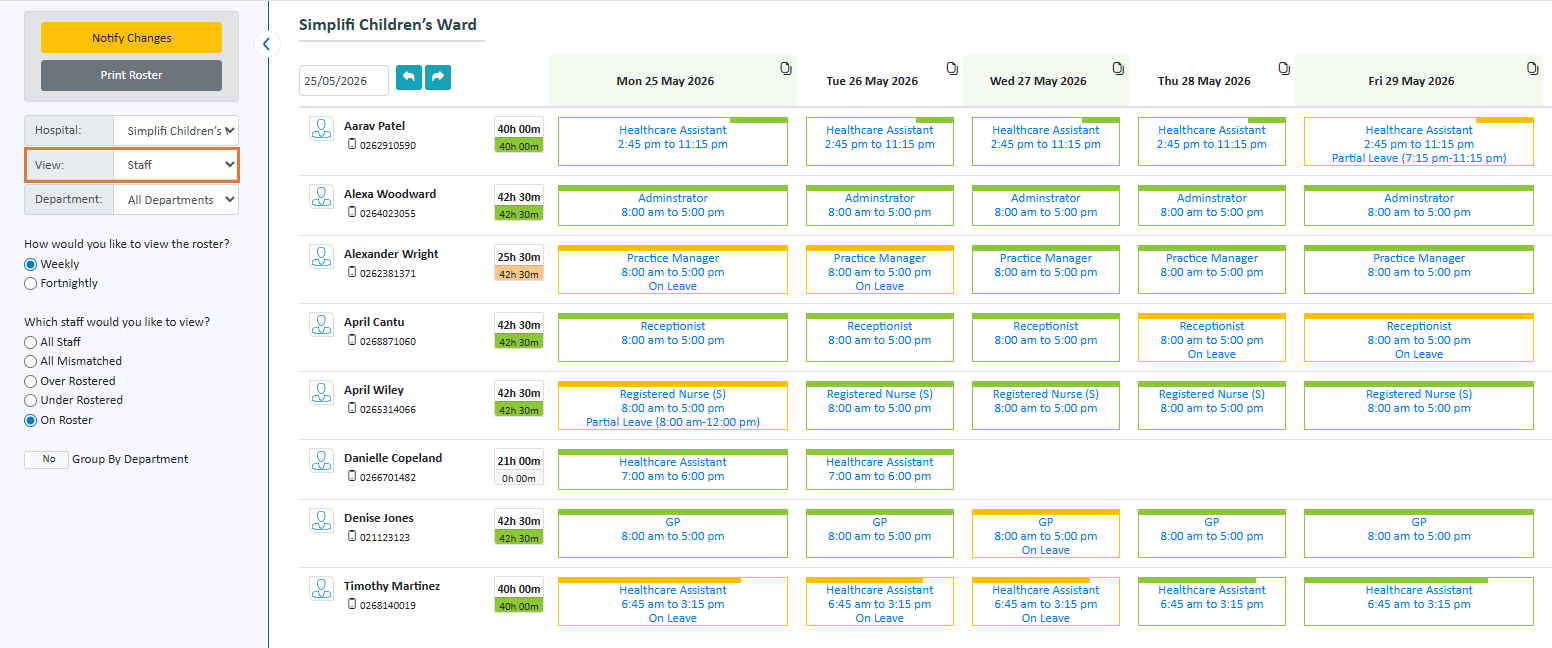
Rostering - Staff View Now Shows Leave
The Staff View in the Rostering module now displays when team members are on leave, giving everyone a clearer picture of what's happening across the team.
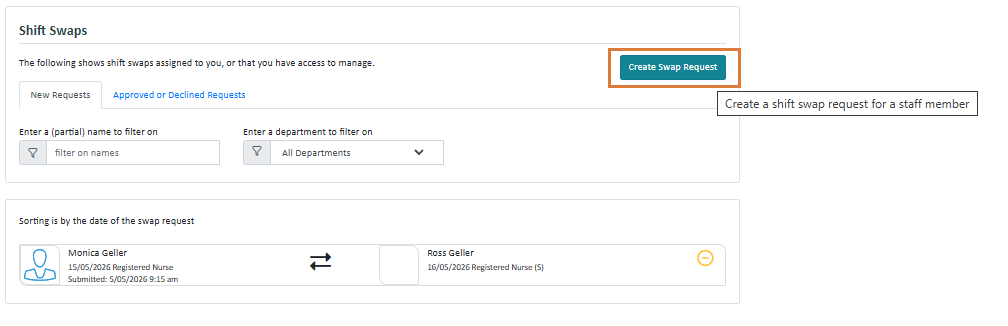
Shift Swap - Create Swap Request on Behalf of Staff
A new 'Create Swap Request' button has been added to the admin view of the Shift Swap module, mirroring the 'Create Leave Request' button in the Leave Request module. Org users can now create shift swap requests directly on behalf of staff members.
This saves the manual work of deleting and recreating timesheets — and, importantly, keeps the change as a swap request so the full audit trail of what happened remains visible.
Bug Fixes
- Amendment Timesheets within Time & Attendance Report
- Archived timesheets included in leave hours
- Clearing multiple select answers
- Compliance issues with nested questions
- Contracted Hours have had their start & finish times set to 12:00 am - 12.00am
- Contracted Hours job sending out old Leave Request notifications
- Fix Leave Liability Report
- Google Maps not auto filling addresses in AU JAS
- Google Maps not working in AU
- IMS Payroll - MYOB export is coming out as a .dat not .csv
- Internal API Activities id error
- Kiosk Error Message incorrect
- Multiple Leave Endorsements
- Question Mapping Import Issues
- Quick Roster errors for self-rostered work
- Replacements not showing on roster if job reassigned
- Reporting module - Previous dates greyed out
- Saving Staff profile triggering redo of contracted hours incorrectly
- Timeouts when saving Contracted Hours
- Timesheet pagination links break when Referer header is absent
- Timesheets - ability to leave Start Time or End Time blank
- TimeZone / DST Errors


