
Release Notes - August 2025
Wednesday, August 27, 2025, at 10:15 PM.
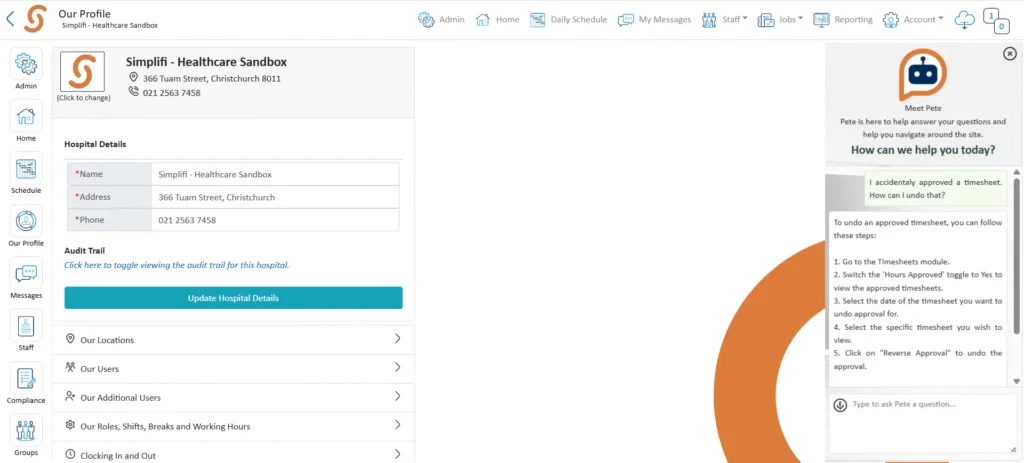
New Chatbot
We’re excited to introduce Pete, our new in-platform chatbot designed to provide quick responses and guidance. Pete can help with common questions, offer step-by-step support, and point you to relevant resources, making it easier to get the help you need.
For more complex issues, you’ll still be able to reach out to our support team for assistance.
Improvements to Job Publishing Time Selection
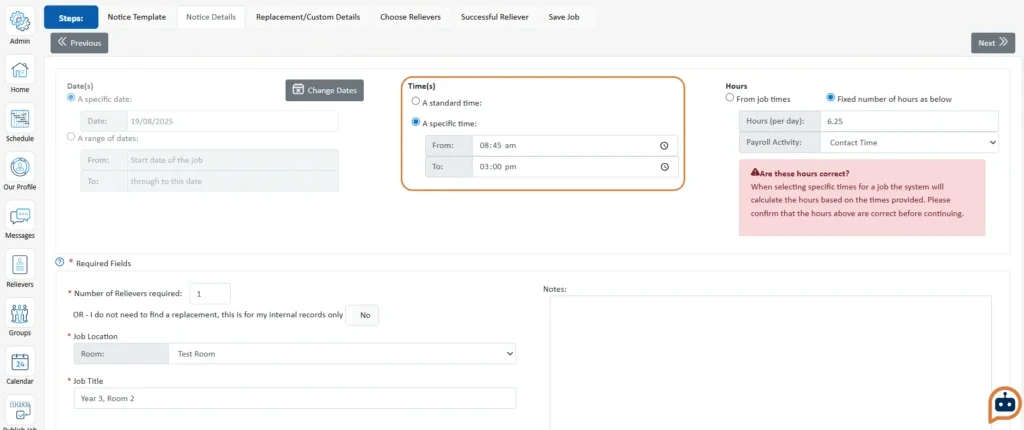
When publishing a job, Selecting Time(s) has been enhanced so that time fields remain hidden unless deliberately selected.
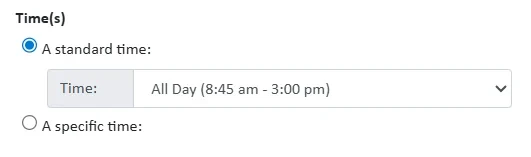
When standard time is selected, shift start and finish times are now displayed alongside the shift name in the selection box, making it easier to confirm the correct option.
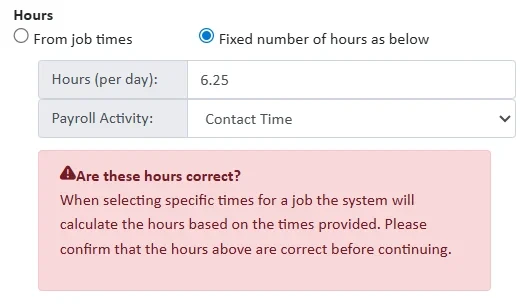
Additionally, a new warning popup has been introduced to remind users to check payroll hours. This appears for organisations using set payroll hours when the Specific Time checkbox is selected and shifts are available.
Role Management
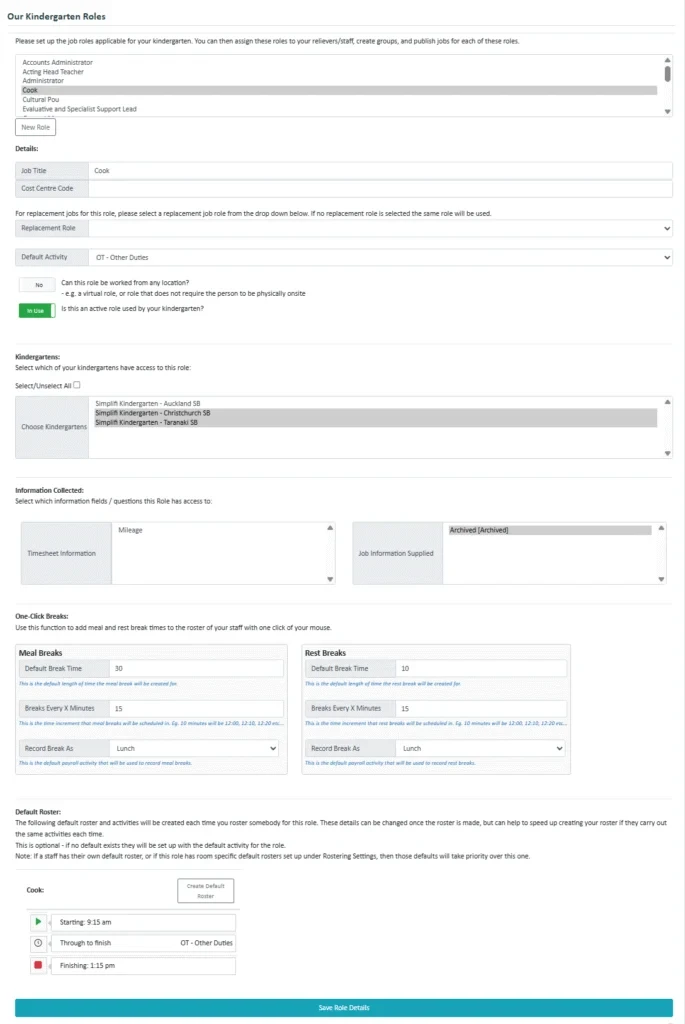
The creation and management of Roles has now been moved into its own dedicated section within Our Profile.
What’s changed:
- Schools / Education: The process remains simple – select Roles from the list and click Save.
- Other organisations: You can create new Roles or edit existing ones much the same way as before, but now all Role-related settings are consolidated in one place.
New Organisation Bulletin Chat
When messaging is enabled for the first time in an organisation, the system will automatically create an organisation-wide bulletin chat, with the Prime User set as the admin.
Scheduled Reports
Simplifi clients using Excel reporting can now schedule reports to run automatically at any time. Scheduling is managed directly from the Reporting Module.
Refined Availability Warnings
Availability checks have been improved to provide clearer, more consistent warnings when adding staff to the roster. The system will now flag situations such as:
- Pending leave requests
- Compliance warnings
- Staff member assigned to a different role (where permitted)
In these cases, the “Add to roster” button will turn yellow and a warning popup will provide further details.
Automatic Role Updates in Questions
Assigning questions to roles is now simpler. Instead of manually adding each role, you can set a question to apply to all roles. Any new roles created in the future will automatically be included, removing the need for ongoing manual updates.
Daylight Savings Adjustment
A new optional setting has been introduced to handle timesheets that span the daylight savings change. With this enabled, an extra hour will automatically be added or deducted from the timesheet hours as appropriate.
Bug Fixes
The following software bugs will be resolved as part of this release. The items listed below are the titles of the related jobs. If you would like more detail on any of these fixes, please refer to your organisation’s Monday.com board or contact us directly.
- Background text colour not matching settings for HO at Tempstaff level
- Prevent quick roster requests with empty times
- Can't decline leave for non-preferred staff
- Fix location filter in Job Wizard
- Multiplication issues in Part-Day leave calcs
- Shift header bar on roster recognising archived shifts
- Shift Swap can't be declined
- Filtering in Schedule always adds first HO Role
- Inactive Users showing in Managers Tab
- Orgs with Leave Endorsement enabled can't create new users
- Orgs without rostering getting NOE when viewing timesheet activities
- Jobs missing in Reports
- Leave Module - Align Staff changes to both top and bottom sections


