
Release Notes - January 2026 - FULL RELEASE
Wednesday, January 28 2026, at 10:15 PM.
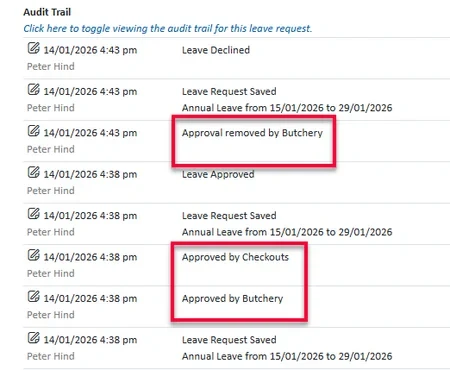
Audit for Departmental Approval on Leave Requests
Leave requests now include an audit trail showing when rooms or departments approve or withdraw approval. This is especially helpful for organisations where staff work across multiple departments, giving better visibility and accountability.
Job Replacements for Part-Day leave
When a staff member requests part-day leave, any replacement job will now automatically match the leave times.
Leave Warnings When Balances May Go Negative
You can now enable a warning to appear when approving leave that would put a staff member’s leave balance into the negative.
When turned on, approvers will see a warning if there isn’t enough leave available, but can still choose to proceed if needed.
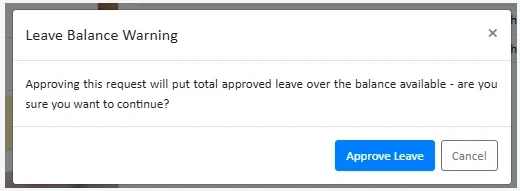
For Annual Leave, the system will use a projected balance (where available) to give a more accurate picture. If no projected balance exists, it will check the current balance minus any already approved leave.
Please note: If a leave type is set up so balances are hidden from managers or users, this warning will not appear.
Limit Leave Activities to Users with Leave‑Approval Access
A new option allows you to limit who can add leave activities directly to timesheets. This helps prevent leave being added without proper approval.
When enabled, only users with leave approval access will be able to add leave activities. This setting only applies to activities marked as Leave.
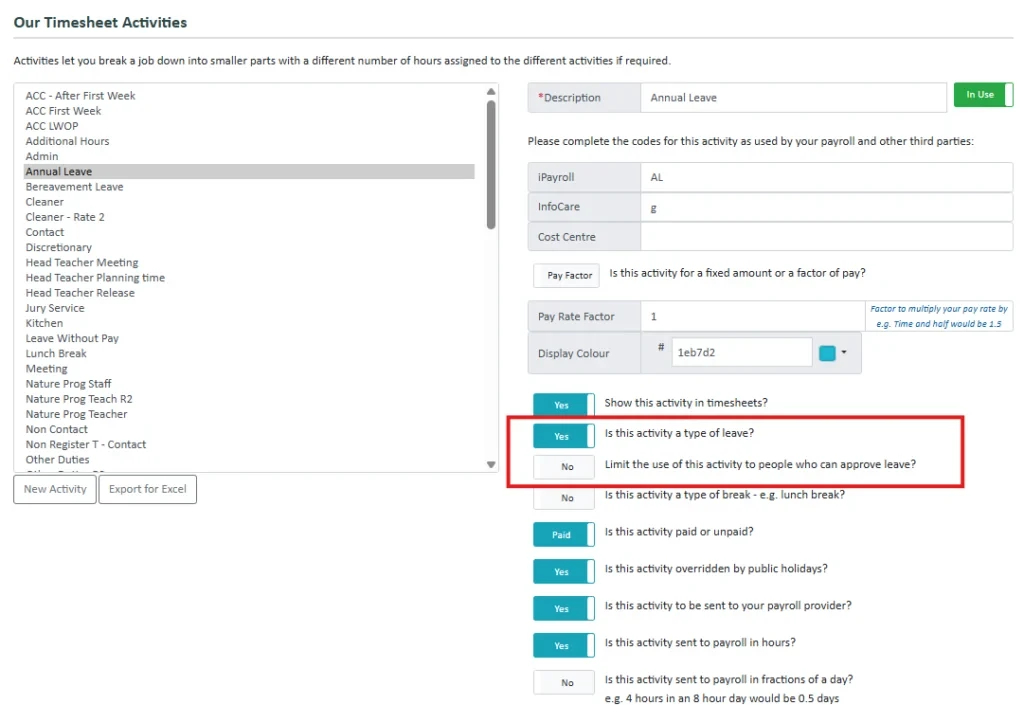
Users without approval access can still see leave that has been added through approved requests and may remove it if needed, but they won’t be able to add it back.
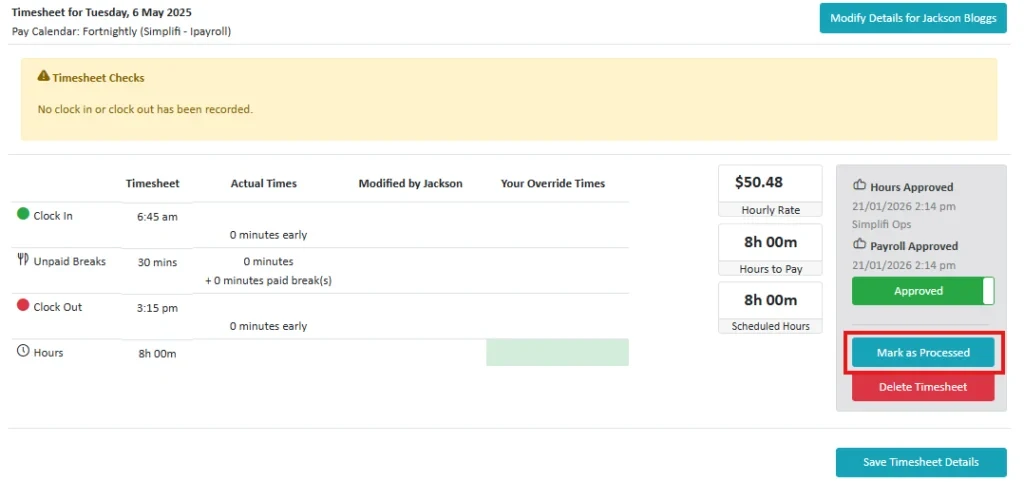
Mark Timesheets as Processed (Without Sending to Payroll)
Authorised users can now mark timesheets as processed directly from the Payroll module.
This is useful when a timesheet is complete but doesn’t need to be sent to your payroll provider. A confirmation message makes this clear before the action is applied, and access follows your existing timesheet processing permissions.
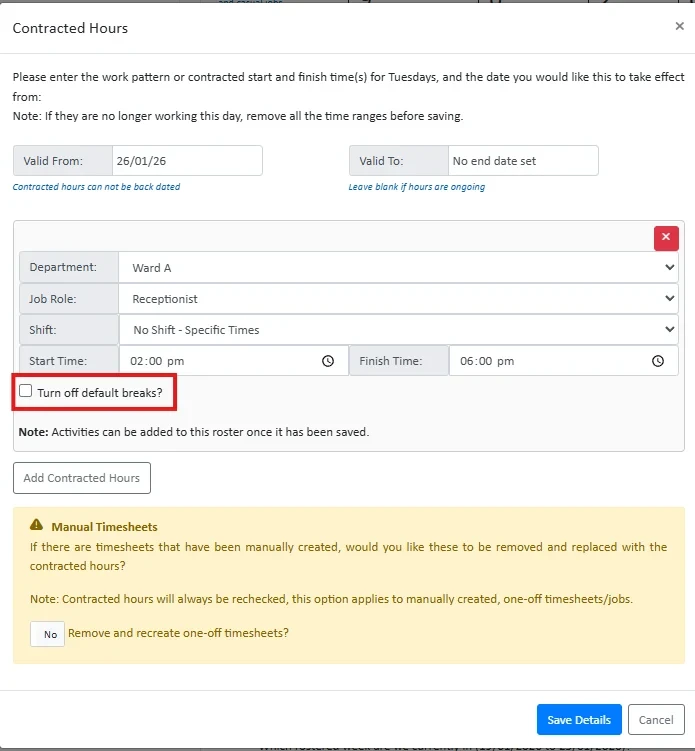
Option to Turn Off Automatic Breaks for Contracted Hours
You can now choose to turn off automatically added breaks when setting up contracted hours.
When enabled, timesheets created from that contracted hours setup won’t include default breaks. This is ideal for back-to-back scheduling, giving you full control to add breaks exactly where they’re needed.
Processed Timesheets
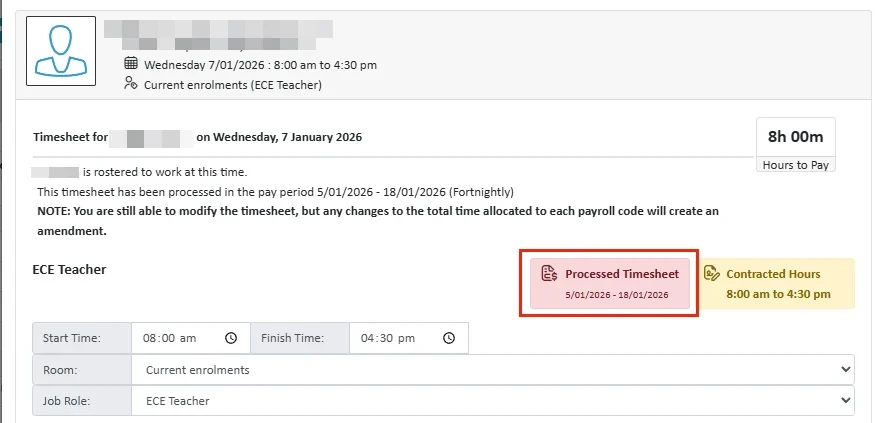
Processed timesheets are now clearly marked showing the pay period they were processed, making them quicker and easier to identify at a glance.
Rostering Summary – Only Shows Shifts Starting That Day
The rostering summary now only shows shifts that start on the selected day. Overnight shifts that began the day before are no longer included, making the daily view simpler and clearer.
Shift details view in Rostering
A new mouse‑over tooltip has been added to the shift icon, displaying the shift times and the default activity (if one exists). This provides clearer visibility before assigning a staff member to a shift.
Time & Attendance Report - All Timesheets
This report now includes two new enhancements:
- Total Timesheet Hours column, displaying the total payroll hours for each timesheet.
- Role column, showing the role associated with the timesheet.
Internal Features
- Split out From Date in file import template to account for day of the week and day of the cycle.
- Daily Maintenance
- Releases - Files in folders dont copy
- Staffing Requirements not applying correctly on shifts
- Import custom fields from API to questions in Simplifi
Disabled Features
Nothing in this release.
StaffSync Features
Nothing in this release.
Bug Fixes
The following software bugs will be resolved as part of this release. The items listed below are the titles of the related jobs. If you would like more detail on any of these fixes, please refer to your organisation’s Monday.com board or contact us directly.
- Client number required row duplicates when altering roster
- Contracted Hours set up allowed overlapping times
- Create own timesheets - old orgs showing
- Expanding Reliever Details on Broadcast
- Integration sections NOE bug
- Leave / Schedule filter issues
- Leave Report Issues
- Leave Request timesheet dictionaries not in sync
- Leave Requests made by timesheet modification not deleting
- Orgs who have Leave Settings at HO can't access additional users
- Payroll Report - Leave without Pay hours not showing all tabs
- Prevent date change for jobs published to fill replacements
- Print Roster not separating days
- Publishing Jobs for Multi-day replacements from schedule
- Room/Role/Shift mismatches when saving Timesheets
- Shift Swap availability bug
- Timesheet Approval Notification job scheduling multiple times


