
Release Notes - October 2025
Monday, November 3, 2025, at 10:15 PM.
Additional User Notifications – Local Level
Organisations can now assign Additional Users for notifications at the local level. When both Head Office and sites have emails configured for these users, system notifications will be sent to all listed addresses.
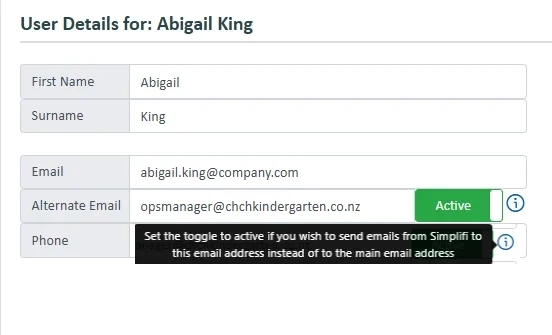
Alternate Emails Functionality Update
We’ve added a new option that lets you choose which email address system notifications are sent to.
This can be set in the User Profile. When enabled, all system emails will be sent to the user’s alternate email address instead of their primary one.
In particular, the job assignment notification field will now display the preferred email address — meaning it will show the alternate email if this option is turned on for that user.
Automatic Organisation Switching via Beacons or Kiosk
Building on recent updates that allow timesheet activities to be linked to different organisations, this enhancement now allows organisation changes to be automatic based on where staff clock in.
When using Beacons or the Kiosk, the system can now automatically trigger a change of organisation. The standard clocking options (Clock In/Out, Breaks, etc.) will still appear, but users will now also have the option to switch organisations directly from this screen.
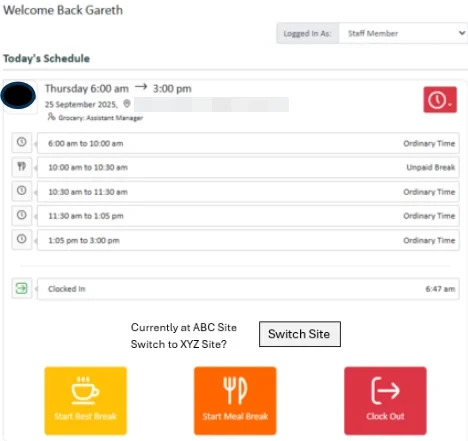
How it works:
- When a user switches to a different organisation, the system automatically updates their timesheet activities to reflect the new organisation.
- Because the system doesn’t know how long the user will remain at that site, all remaining activities for the day will temporarily be assigned to the new organisation.
- When the user clocks out or switches back to another organisation, the system will then update subsequent activities accordingly.
This ensures timesheet activities always align with the organisation where the work was actually performed, without requiring manual adjustments.
Future Approval Date for Timesheets can now be set at Site Level
Head Offices can now enable a new setting in Our Profile >> Payroll Settings that allows local organisations to manage their own Future Approval Date at site level.
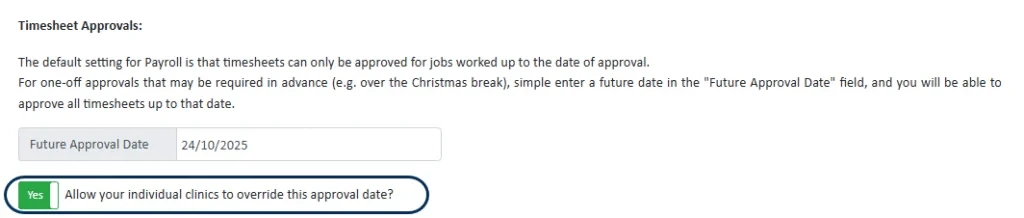
When enabled, local organisations can set their own future approval date. If no local date is set, the system will automatically revert to the Head Office approval date.
In local organisation settings, a new Timesheet Approvals section under Our Profile >> Payroll Settings will appear when Head Office has enabled date overrides. This section also displays the current Head Office approval date for reference.

Head Office can regain full control at any time by turning off the toggle, which will revert all organisations back to using the Head Office settings.
Leave Liability Report
A new Leave Liability Report is now available, providing an overview of accrued leave and outstanding liabilities for staff.
Leave Taken Report Update
The Leave Taken Report has been enhanced to better support organisations that manage staff from Head Office. The report will now automatically source the relevant timesheets from Head Office, allowing it to display accurate results at both Head Office and local levels.
When running the report from Head Office, a new Site column has been added so users can easily identify which site each staff member belongs to. If a staff member works across multiple sites, they will appear on a separate row for each site.
New Integrations Section
A new Integrations section has been added to Profile Settings, where all API authentications, function mappings, and integration schedules are now managed.
These settings have been moved from Payroll Settings.
Quick Tips on Casual Staff Home Screen
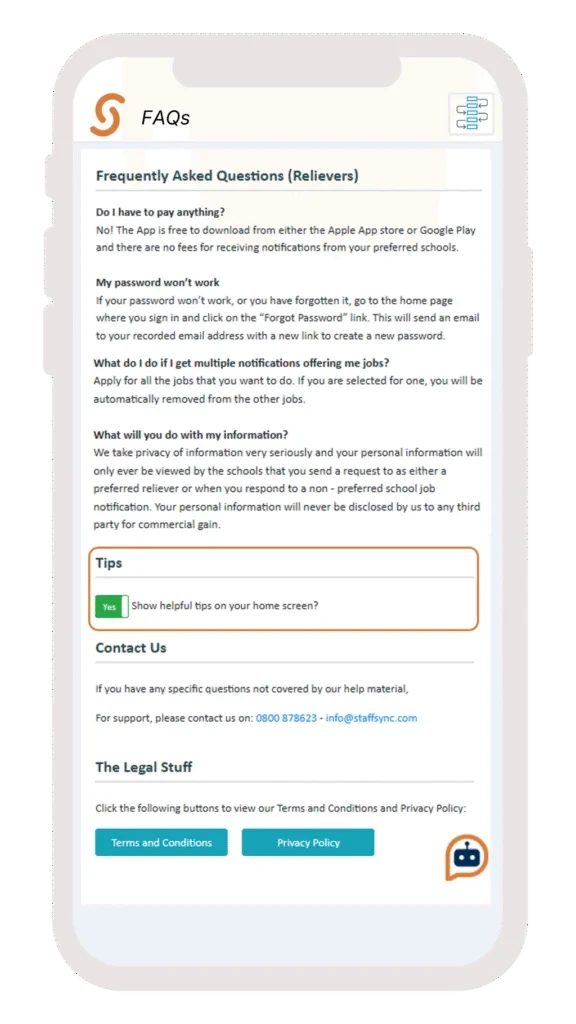
A new Helpful Tips notification has been added to the relievers’ Home Screen. Each time a user navigates to or logs into the page, a different tip will be displayed.
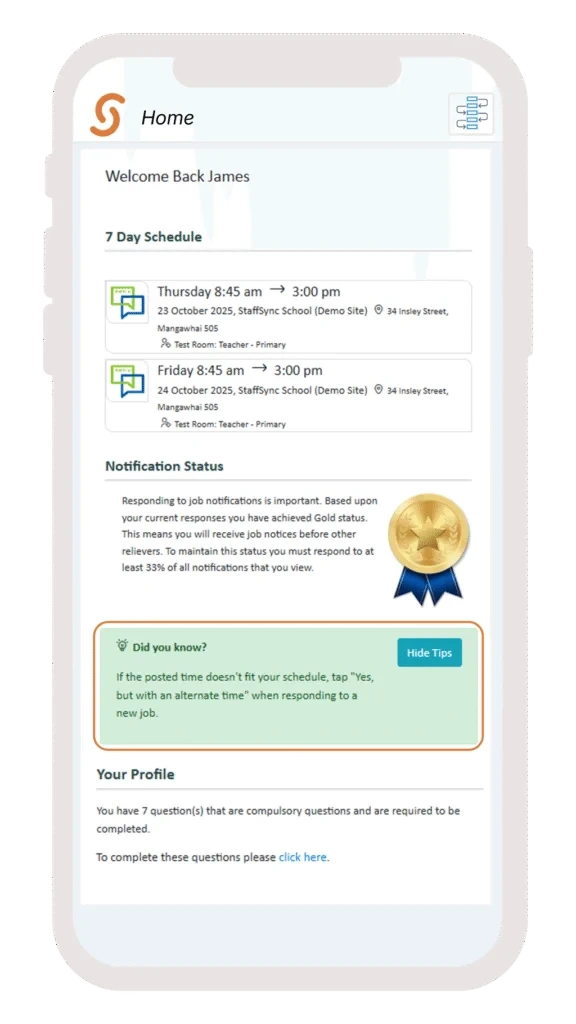
The tips feature can be enabled or disabled for individual users via the Help / FAQ section.
Staff Information Collected
When setting up information to be collected at Head Office level can select which organisations the questions apply to. This is only an option for organisations where staff are not managed at Head Office level.
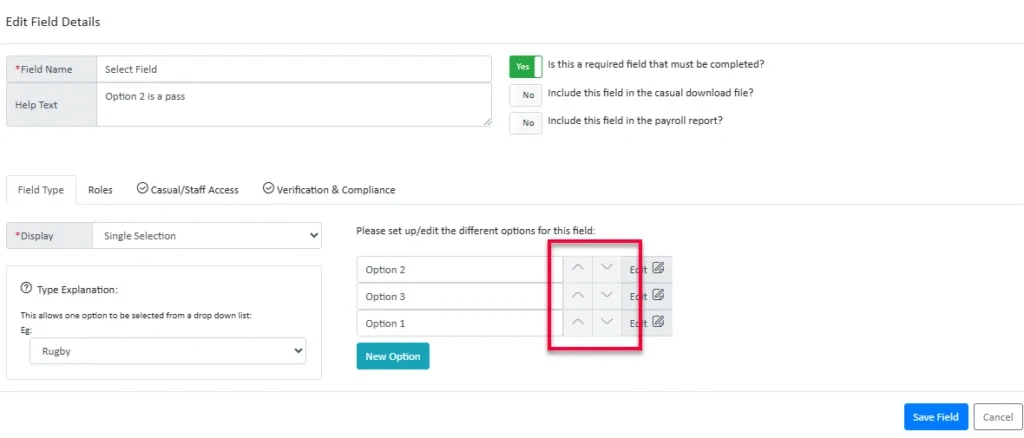
For questions that allow multiple answers, there is now the ability to reorder the available options for selection.
User Notifications When a Kiosk Device Logs Out
A new option has been added in User Settings allowing users to receive a notification when a kiosk is logged out.
To keep the User Details screen tidy, all notification preferences are now grouped into a dedicated Notifications select box. The Timesheet Approval notification option introduced last month has also been moved here.
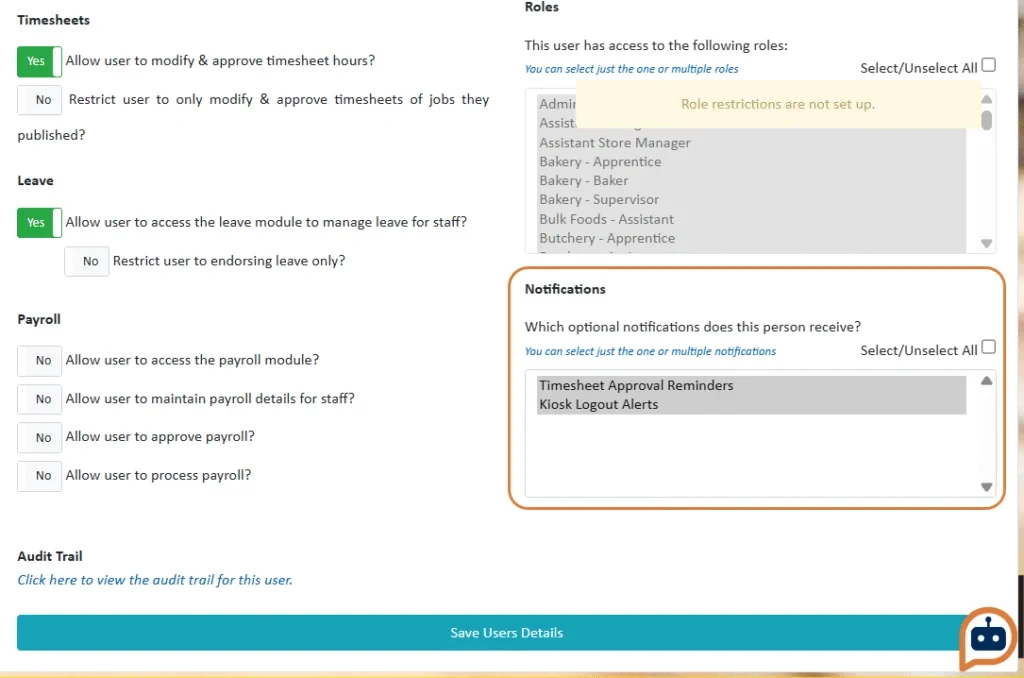
When enabled, subscribed users will receive a push notification whenever a kiosk belonging to their organisation is manually logged out.
Note: This notification only applies to manual logouts. Power losses or connection interruptions cannot be detected.
Bug Fixes
The following software bugs will be resolved as part of this release. The items listed below are the titles of the related jobs. If you would like more detail on any of these fixes, please refer to your organisation’s Monday.com board or contact us directly.
- Don't show archived questions in Compliance
- Hours to pay calculation errors
- Job Report CSV export can't handle timestamps
- Leave Balance check bug
- Messaging Timeouts
- Person in a reporting role can approve their own leave requests
- Pre-Generated Reports updated to include all dates within defined period
- Recurring Job attribute being set incorrectly
- Reliever calendar - Specific day unavailability over timespan issue
- Replacements don't show in weekly view if job has been reassigned
- User Efficiency bug
- Users can't have two compliance reminders with the same warning time


