
'Response Option – Alternate Times' Enabled
The 'Response Option – Alternate Times' feature is now enabled for all New Zealand schools using StaffSync. This update allows relievers to propose an alternative time if the original job time does not suit their availability.
How It Works
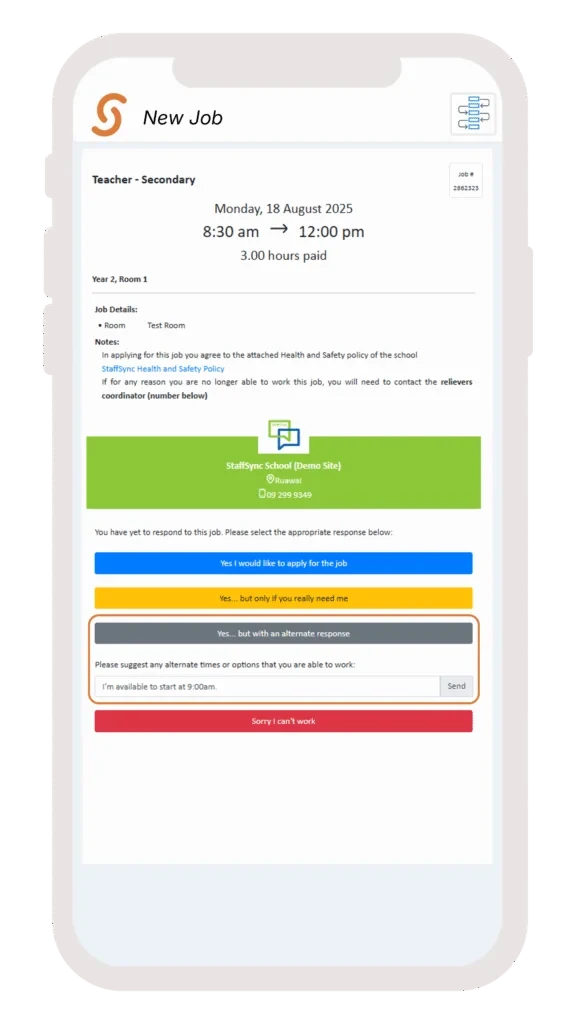
Once a job is published, relievers will now see a new response option:
“Yes… but with an alternate response”
Selecting this option will prompt a text box, where the reliever can enter the alternate time or availability they are able to work. Upon submission, their response is sent directly to the school admin for review.
Reviewing Reliever Responses
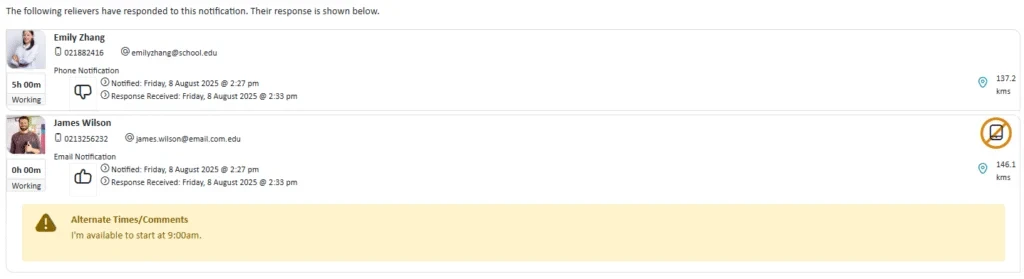
When viewing responses, any reliever who selected the Alternate Times option will display a yellow warning message highlighting their suggested time or comment. It is important to review these details before proceeding with assigning the reliever.
Steps to Assign a Reliever with an Alternate Time Response
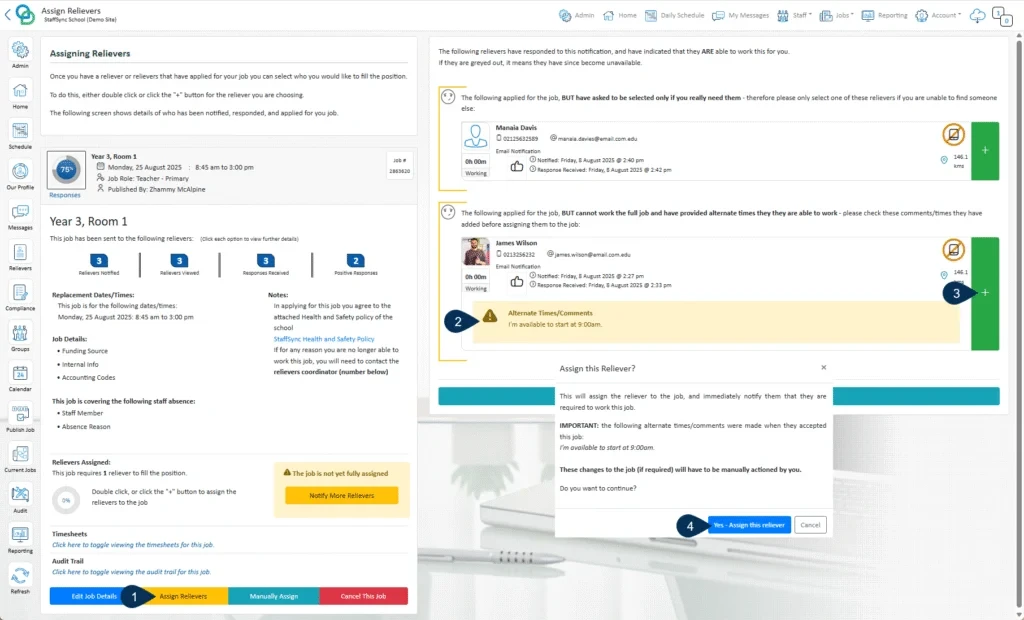
- Click Assign Reliever.
- Review the comment provided by the reliever regarding their alternate availability.
- Click the green ‘+’ button to add the reliever to the job.
- A pop-up will appear, reminding that the reliever has proposed an alternate time. Click “Yes – Assign this reliever” to proceed.
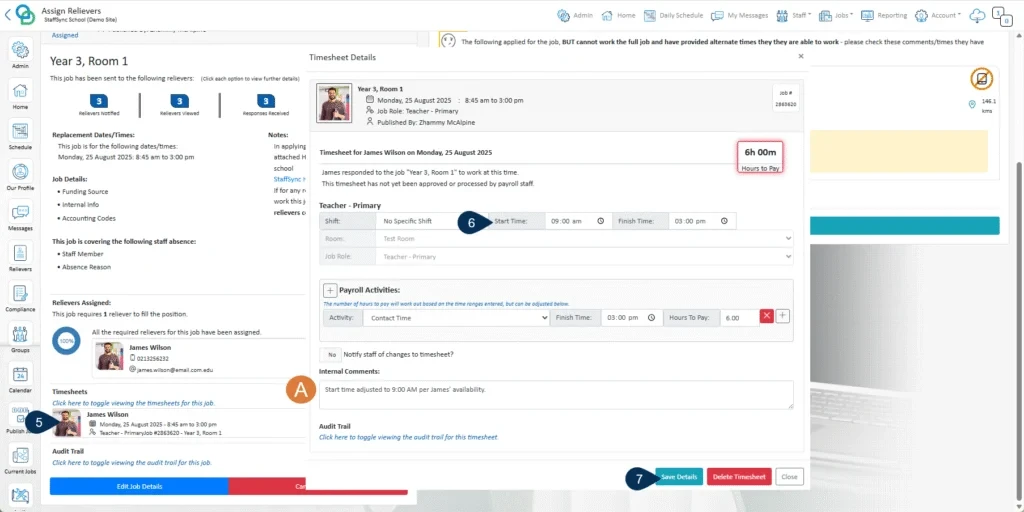
- Open the timesheet for the job.
- Update the start/end times according to the reliever’s proposed schedule (e.g., 9:00 AM).
- Click Save Details to apply the changes.
A. Optional: Add a comment noting that the times were updated based on the reliever’s preferred schedule.
Disabling This Feature
To have this feature disabled for an organisation, please contact StaffSync Support:
Email: support@staffsync.com
Phone: 0800 878 623


