Generating Future Timesheets in StaffSync
In some situations, managers may need to approve timesheets in advance. StaffSync generates timesheets on the current day, but you can configure it to create timesheets for future dates.
Permission Required
Only users at the head office with access to organization settings can perform this action.
Steps to Generate Future Timesheets
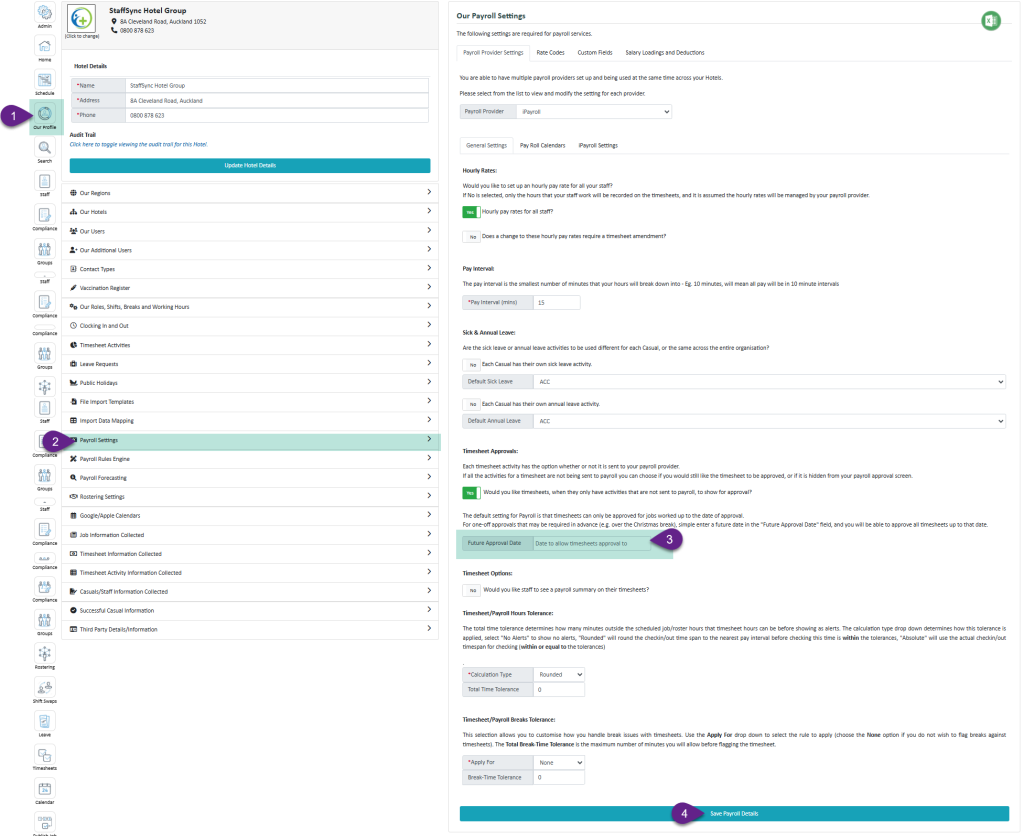
- Select "Our Profile"
- Select "Payroll Settings"
- Enter the Desired Date - enter the date up to which you want future timesheets generated
- Select "Save Payroll Settings"
Once saved, you can open the Timesheet Approval module or the Payroll module to see timesheets up to the specified date.