
How to Make a User Inactive
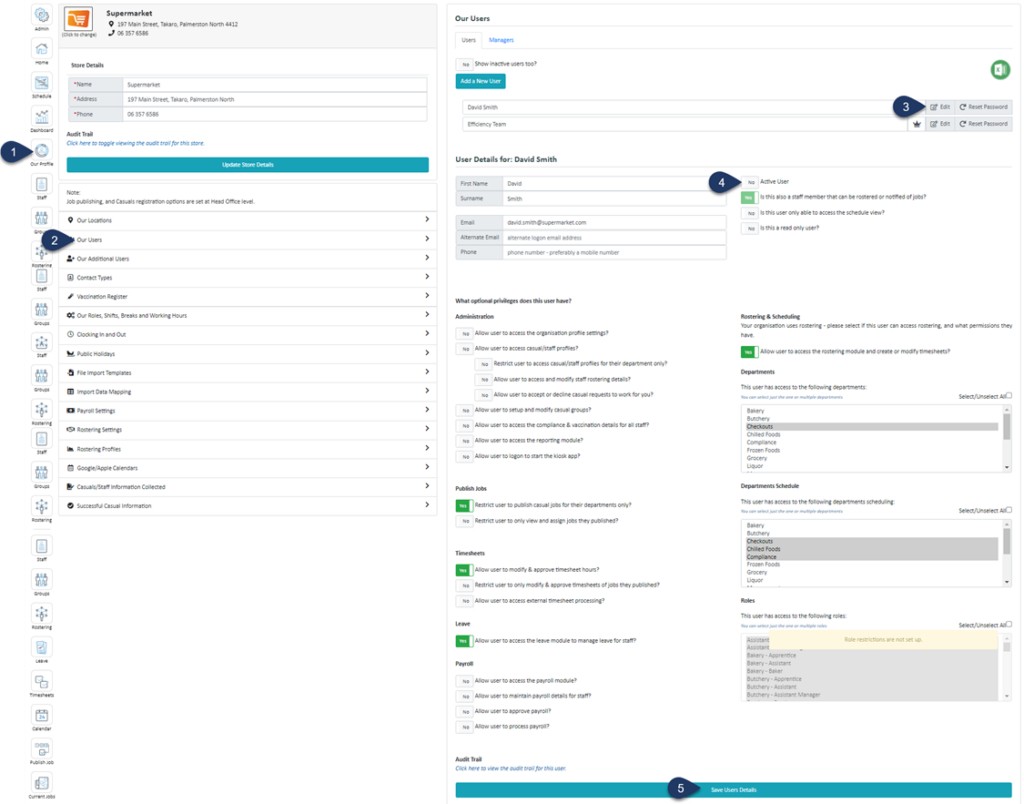
- Select Our Profile
- Select Our Users
- Select Edit next to the user you wish to inactivate
- Switch the 'Active User' toggle to NO
- Select Save User Details

Say goodbye to complex rosters, compliance headaches, and payroll errors. With Simplifi, you can streamline scheduling, stay compliant and save valuable admin time.

