
How to Promote an Employee to a User
This will allow this employee to log in as both a staff member and as a store user
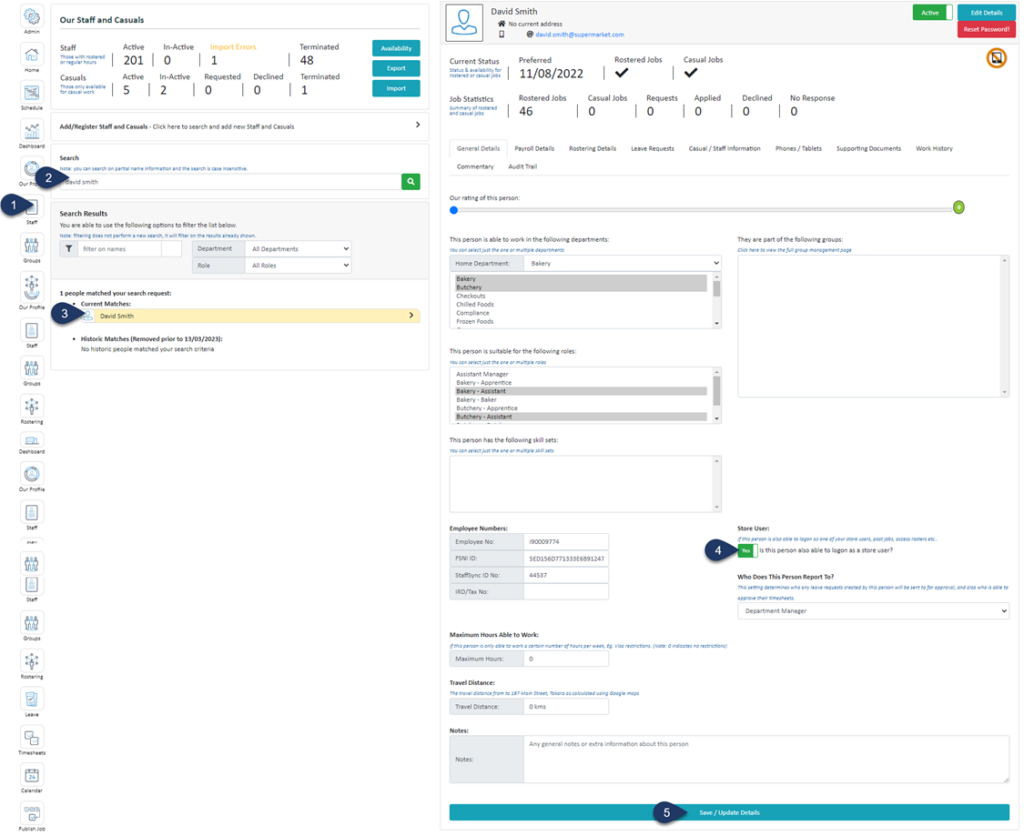
- Select Staff
- Search for the employee's name
- Select the employee
- Switch the 'Store User' toggle to YES
- Click Save / Update Datils
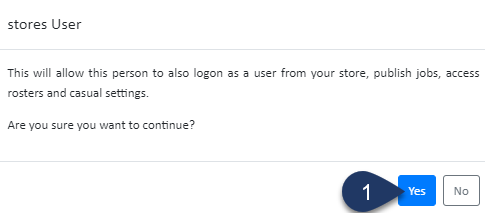
- Click Yes
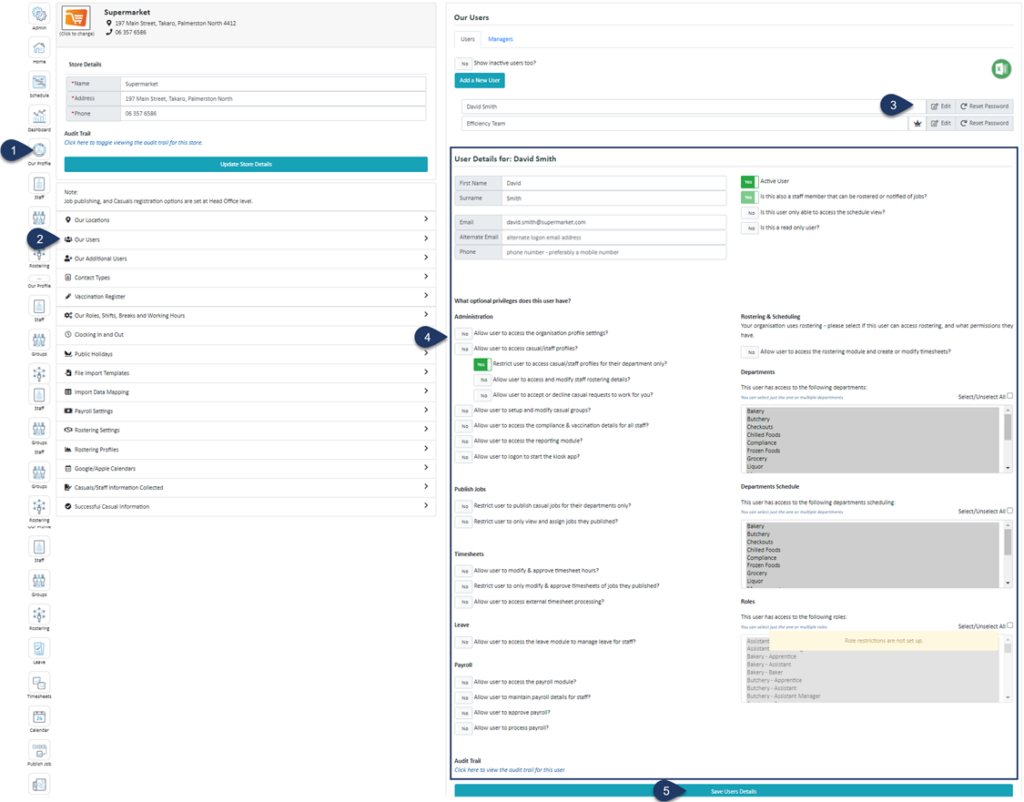
- Select Our Profile
- Select Our Users
- Select Edit next to the user you wish to edit
- Use the form here to grant or restrict access
- Click Save User Details


