
How to Publish a Job via Phone App
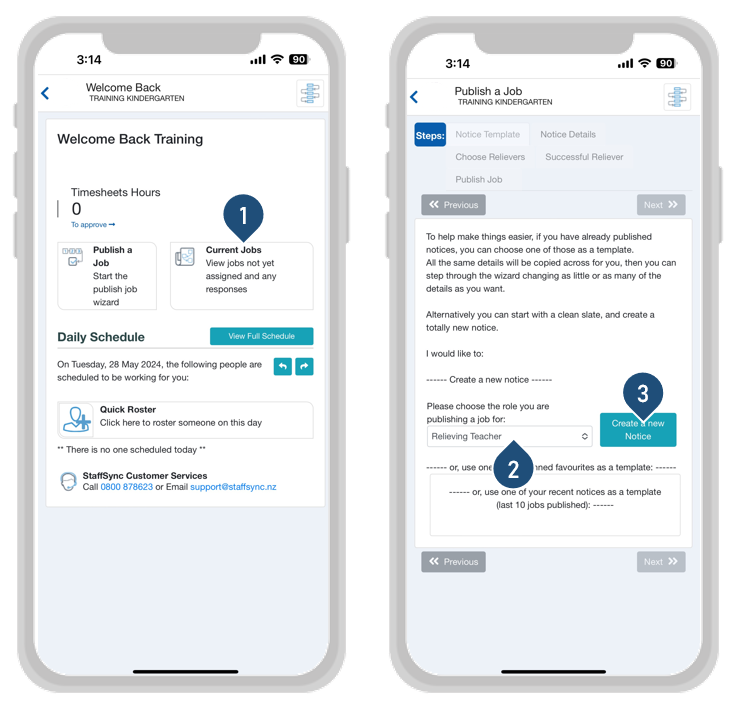
- Select Current Jobs from your App Home Page
- Select a Role
- Select Create a new Notice
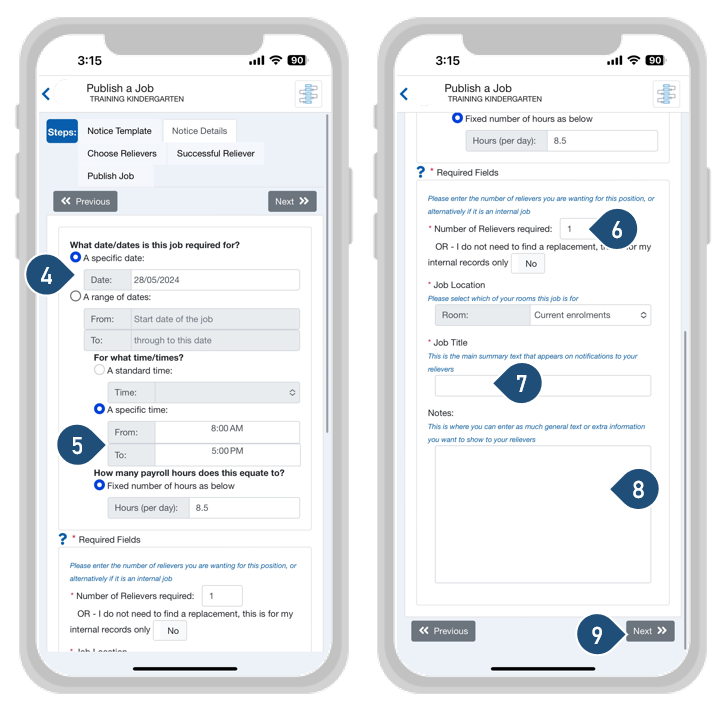
4. Choose a single date or a date range
5. Enter the Start and End Time of the job
Scroll Down
6. Enter the number of Casuals you seek
7. Enter the Job Title
8. Enter any notes for all the Casuals notified - Optional
9. Select Next
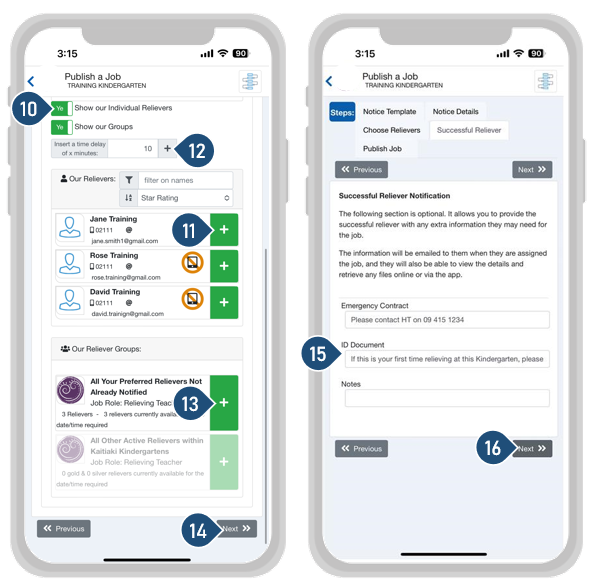
10. Switch the Toggle to YES to see individual casuals
11. Click on the green + to add casual the list of people being notified
12. Set a time delay if needed and click + to add the time delay to the notice
13. Click on the green + next to the group to include ALL your preferred casuals to the list being notified
14. Select Next
15. You may edit these fields if you wish to
16. Select Next
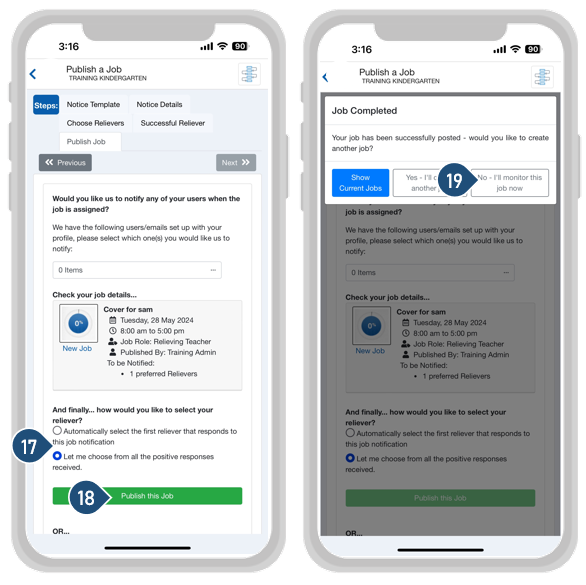
17. Choose your method of selecting the successful casual
Automatically select the first casual that positively responds to the job notification
Let me choose from all the positive responses received
18. Select Publish a Job
19. Select 'No- I'll monitor this job now'


