
How to Reactivate a User
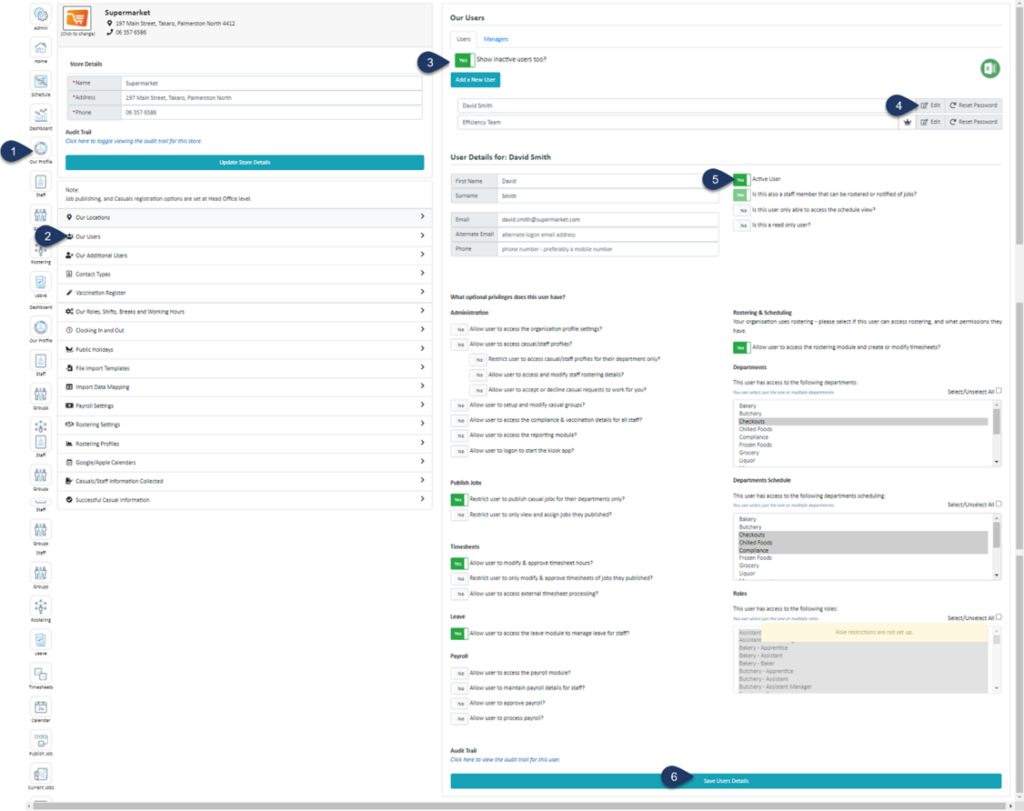
- Select Our Profile
- Select Our Users
- Switch the toggle 'Show inactive users too?' to YES. (The list of users below will now include inactive users.)
- Select Edit next to the user you wish to activate
- Switch the 'Active User' toggle to YES
- Select Save User Details


