
Release Notes - August 2026
Tuesday 25 August 2026, 1015pm Simplifi
Wednesday 26 August 2026, 1015pm OnTask
New Features & Enhancements
Add Staff to Roster via Staff View
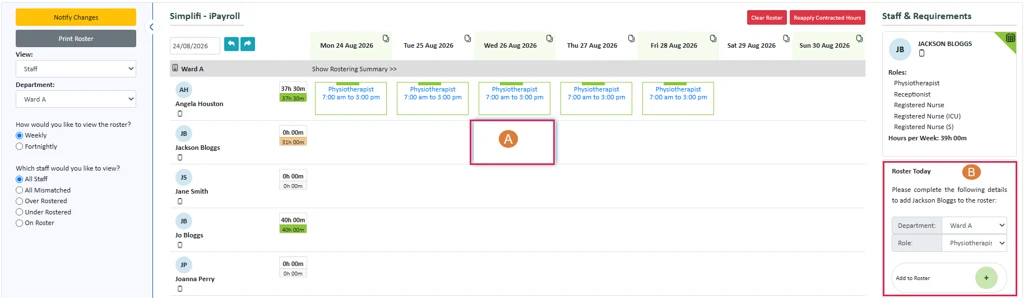
We have added functionality so that you can now add a shift for a staff member straight from the Staff View, bringing it in line with the Weekly and Fortnightly views.
Clicking an empty cell opens a new Roster Today section in the right-hand panel, where you select a room, role, and optionally a shift for that staff member. Selections cascade and only valid options are offered. Clicking + adds the timesheet and the roster updates immediately.
Clicking a cell that already has a timesheet works as before, showing the staff member's schedule for the week. Roster Today is still available above it, collapsed by default, and can be expanded to add a further timesheet for that day.
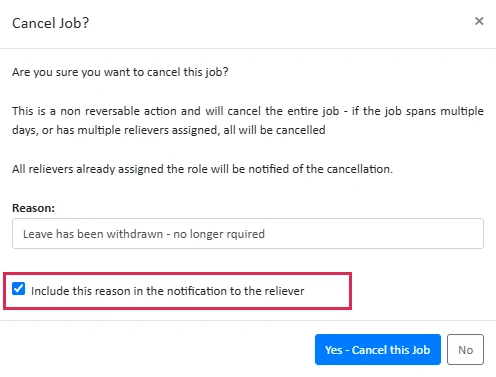
Control notifications when cancelling a Casual Job
You may choose now whether the reason for cancellation message gets sent to the casual staff member or if it is just recorded for org reference.
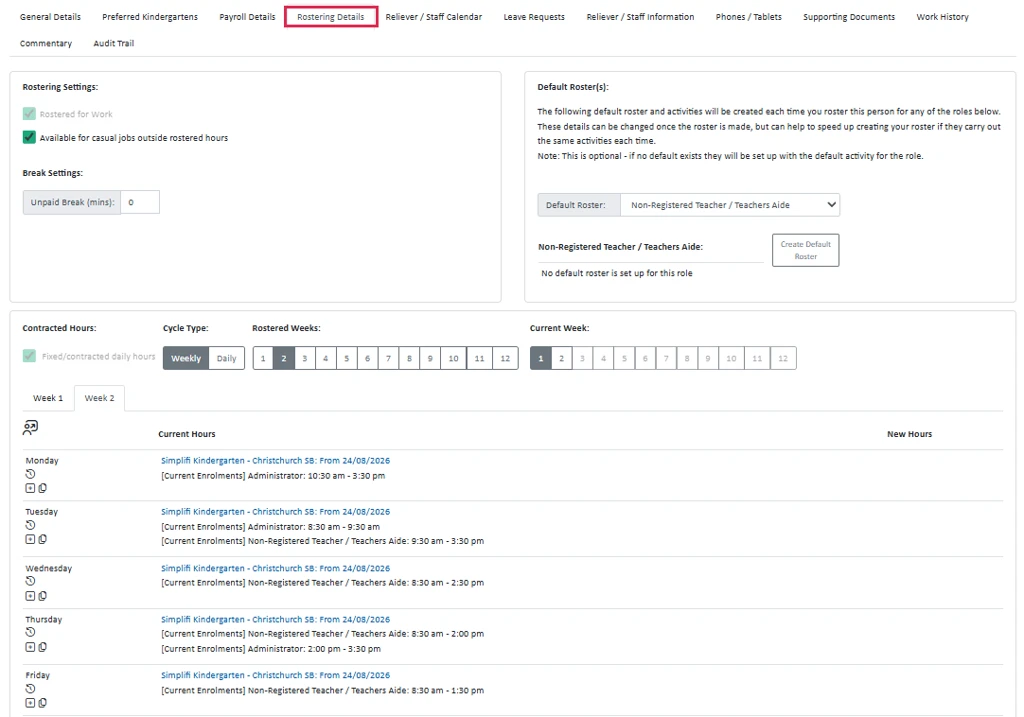
Contracted Hours - Rostering Details Settings Layout
We've given the Rostering Details tab within the Staff Profile a refresh:
- The Contracted Hours section now spans the full width of the tab, making room for an upcoming feature that will let you set up multiple future-dated contracted hours.
- Toggles and checkboxes have been updated to match our newer interface styling, with a cleaner, more logical layout.
- Detailed explanations for each option are now tucked into optional help tips rather than shown inline.
- For staff members with access to multiple roles, the page no longer loads a separate default roster for every role. A role selector now lets you bring up the roster for the role you need, keeping the page tidier for staff with many roles.
- We've also extended the roster cycle length for contracted hours up to 12 weeks, giving you more flexibility when setting up rosters.
Leave Report
We have renamed the Upcoming Leave Report to Leave Report, and modified it so you can now run it for any specified period.
Scheduled Hours & Overtime
This release introduces Scheduled Hours — a new basis for calculating overtime that reflects what an employee was actually rostered and expecting to work, rather than just their contracted hours or timesheet.
Previously, overtime could only be calculated against fixed thresholds (e.g. more than 8 hours a day, or more than contracted hours). Neither captures true overtime — hours worked beyond what was scheduled.
Every timesheet now carries a Scheduled Hours field that updates automatically until the scheduled start time, then locks in as a record of the hours the employee was expecting to work. Any hours beyond that are recognised as overtime. This is now available as a condition in the rules engine, alongside existing options — existing rules and setups are unaffected.
A new approval option, "Suppress overtime payment for this timesheet," also appears on the Timesheet Approvals screen whenever rules-engine overtime is in use and hours worked exceed scheduled hours. Ticking it pays the extra time as recorded, without treating it as overtime — for cases like an agreed extra hour today in exchange for leaving early tomorrow, or banking time toward leave instead of an overtime payment.
Nothing changes for organisations not using the rules engine, or for timesheets that don't exceed scheduled hours.
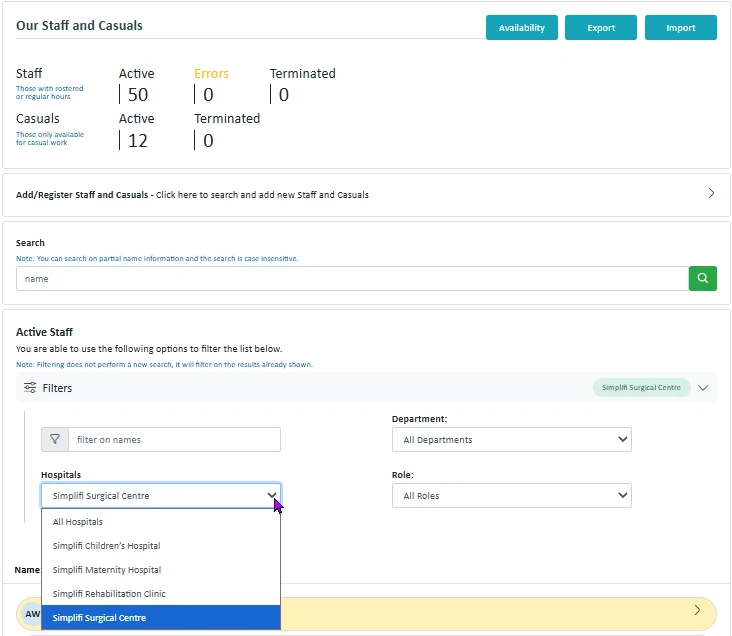
Site Filter in Staff and Leave Modules for Head Office Users
Users accessing the Staff and Leave Modules at the Head Office level can now filter staff by the specific organisation they work at.
Previously, filters at the Head Office level did not allow narrowing results by organisation. With this update, a new filter option has been added that lets users select an organisation and view only the staff associated with them.
Head Office users often oversee staff across multiple organisations. This filter makes it faster to find and manage the right staff records without having to scroll through the full staff list, improving efficiency for reporting, audits, and day-to-day administration.
UI Refresh in Progress
You'll notice several changes to the user interface in this release as we continue rolling out UI improvements. These updates are part of an ongoing effort to modernise the look and feel of the application and improve overall usability. Further refinements will follow in upcoming releases.
UI Rostering Avatar Changes
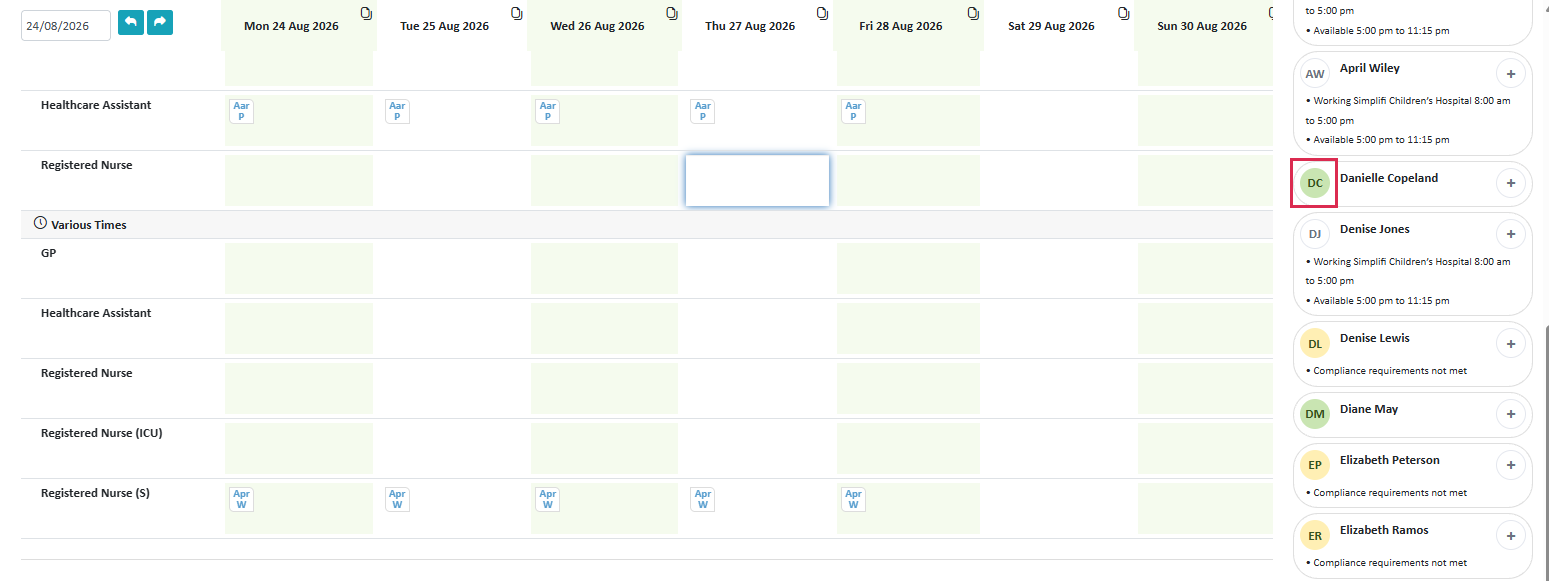
The tiles down the side of Rostering have a refreshed look — rounded to match our new tile and avatar style. The avatar (not the add button) now shows the green/yellow colour, and the add button is round instead of a big square. Compliance and availability text underneath has been shortened so it mostly fits on one line.
Bug Fixes
- API: EmployeelD inconsistencies
- Errors running Staff reports
- Calendar not clearing part-day unavailability visual
- Casual Staff update address and then unassigned from jobs!
- Contracted Hours conflict checks
- Contracted hours deleted from roster
- Job advertised to non-preferred staff 1
- Leave by Modification not recording Leave Days properly
- On Leave Only filter shows staff on call
- Paid breaks are appearing in timesheets, despite not being a timesheet activity.
- Payslips not appearing correctly for staff
- Primary - Reliever availability/unavailability (differences)
- Staff cant be added to roster at specific time when they are available
- Staff Roster View includes shifts at other sites
- Staff Rostering Cycle Current Week not showing correctly
- School - Current Jobs not disappearing
- Timesheet activities - cant set an unpaid activity
- User cant clock in via kiosk